Showing posts with label geeky. Show all posts

Tuesday, May 19, 2009

enthusiastic about enfuse
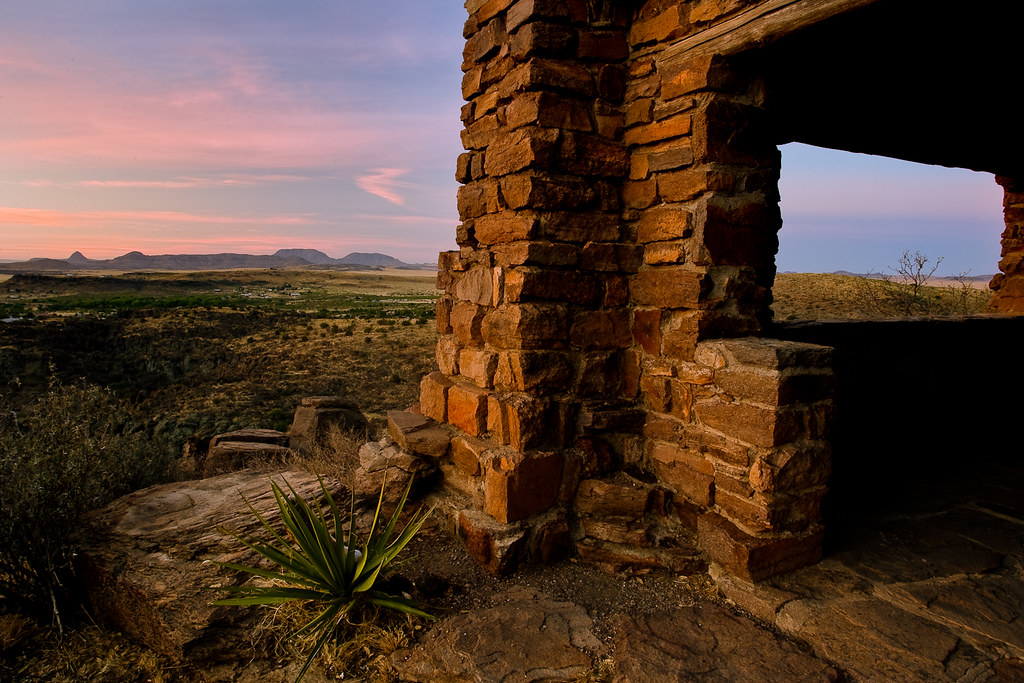
dawn

I've dabbled with HDR photography a bit in the past, but always felt the results were quite cartoonish. The saturation is often off the charts and the local contrast added by most tone mapping algorithms typically seems very heavy handed, for what I want to achieve. While that is a perfectly valid thing to do, it just doesn't appeal to me that much. I have managed to do some more realistic HDR images, using the Wukong beta/ Essential HDR product from Imaging Luminary but since I moved to a Mac, I haven't been able to use their software. I started looking for something similar for OS X and got a recommendation for Enfuse. This is an open-source solution to the problem, that takes quite a different approach to blending the exposures.

Instead of generating a merged, high dynamic range image with floating point pixel values, the enfuse algorithm picks out from across the various exposures what it considers to be the best exposed pixels for a particular region, then merges them all together. There is some level of control for the user; to provide masks, or bias it towards keeping contrast or saturation in the image. The algorithm can also automatically align images, if you haven't shot them all on a tripod. I've found that the defaults work well to merge a well exposed set of images. The resulting merged image is then a great starting point for further adjustments.

While Enfuse is open source and available for free, I've been using an Adobe Lightroom plugin that is sold as donationware, by Timothy Armes. The LR/Enfuse plugin simplifies running the merge from Lightroom. I just have to select the various exposures and run the plugin to get a merged result back in Lightroom, ready for further adjustment.
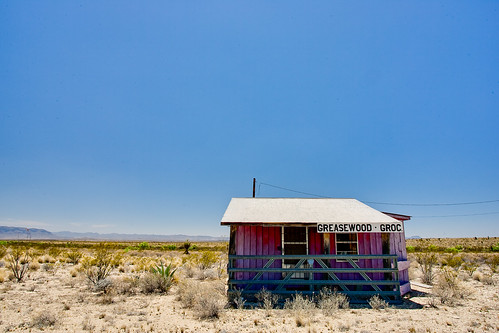

greasewood

greasewood enfuse

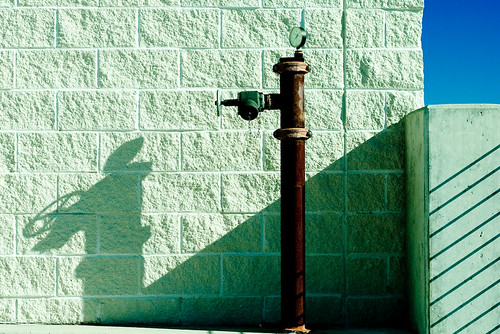
Many years ago I learned to shoot pretty wide brackets around a given exposure when I'm working on a tripod. With digital, the brackets are essentially free and this ensures you have all the data you might need to merge exposures back at home. Particularly when working with fleeting light or in hard to get to locations, I'd rather shoot a few more frames at the time, than wish I had them when I got home. I'll typically pick a working f-stop, based on the depth of field I want in the scene, then shoot at one stop intervals around the metered exposure, from -2EV, -1EV, 0, +1EV and +2EV. I normally do this in Aperture Priority mode, so that only the shutter speed is changing, but the depth of field is constant. In some cases, if there are particularly extreme lighting situations, I might shoot another stop above or below those as well, but I've found that five stop increment is often more than I need, particularly shooting around twilight. These 5 exposures give me a great starting point to blend for a final image. In the past I might have processed them as multiple exposures and then layered them in Photoshop, using masks to pick out particular parts of the image. Now they are a great starting point for Enfuse. In the example above, the porch of the building was in really heavy shadow, in the noon day sun, so I've shot 6 exposures, to get some detail and deep colour in the shadow areas (in the lightest exposure, to the far right), while still trying to keep some detail in the white, reflective roof (in the leftmost exposure).

To run the merge, I pick the darkest exposure that still had the right levels for the lightest parts of the image and the same at the other end, selecting the lightest exposure that had the shadow values that I wanted. I then use those as the outliers and pick all the in-between exposures and run the Enfuse plugin. I haven't tried varying the default values yet, as it has given consistently good results from the images I took in Big Bend. Enfuse is a great option if you are interested in working with scenes with a large range of tonalities or extremes of lighting, but want to try to produce more natural results. The price is right too. There are other GUIs available for Enfuse, if you don't like using Lightroom. I haven't had any experience with these, but options such as EnfuseGUI do exist if you wanted to avoid Lightroom and also the command line.
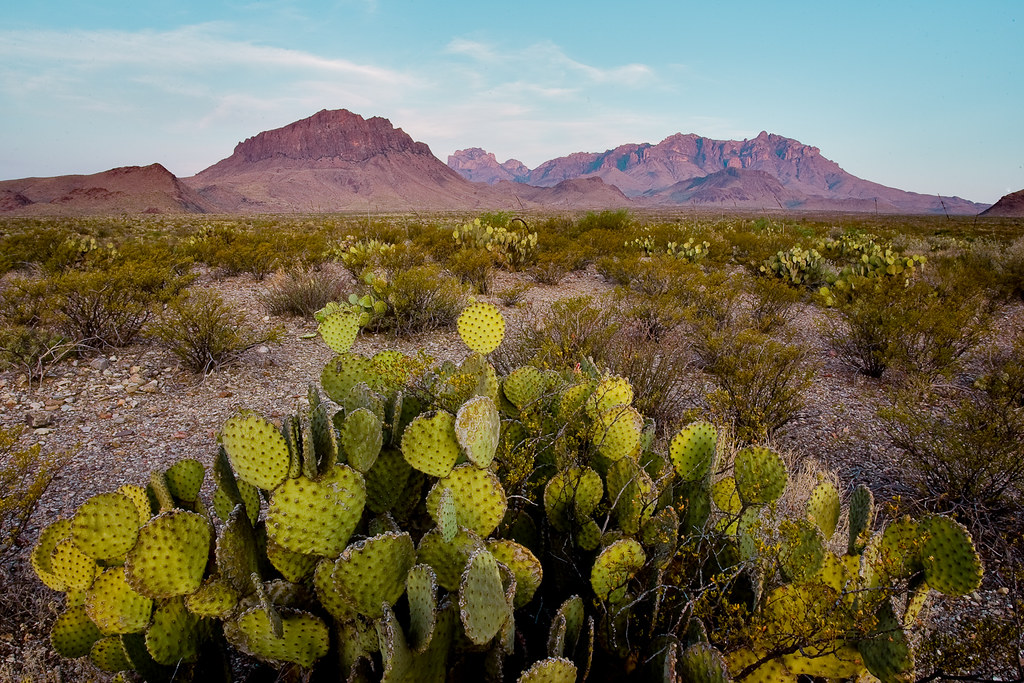
chisos

Saturday, May 16, 2009

mac performance tuning for photographers

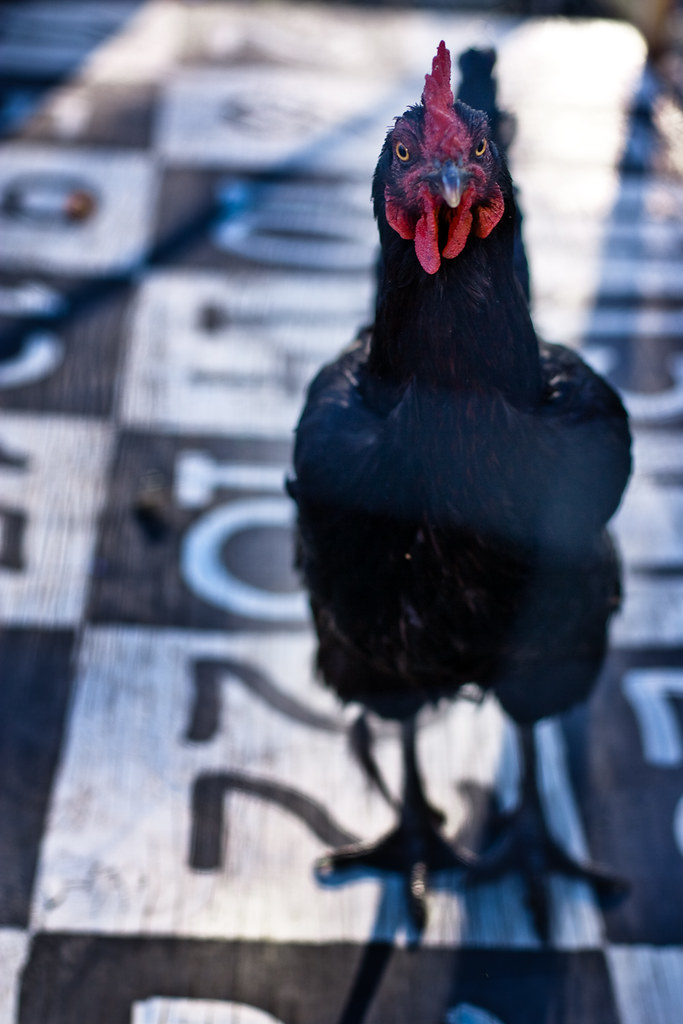
bingo

I've been considering upgrading to Photoshop CS4 for a while now and doing the cross-platform dance to get it for my Mac. Lightroom meets most of my needs, until now when I'm getting more serious about putting my SoFoBoMo book together. The localised editing and masking in Lightroom just isn't really enough, particularly for doing more detailed black and white conversions. It's come the time to do it, but Adobe don't want my money today. 7 days a week customer service but only sales during business hours. I'll try again next week. For now I've been using the trial version of CS4 Extended that you can download. I found this performance tuning guide, just going through the steps now.

On the bingo front, Amanda's number was 22, but the chicken was a bit crowd shy. We left before we heard about any result - maybe there's an envelope of cash waiting on us in Marfa... By the way, I am curious to know how many outside of Texas have ever heard of this particular brand of chicken sh*t bingo. Comments welcome.

Wednesday, March 25, 2009

sofobomo rss feeds

page not found

After a few days of tweaking and testing, I'm reasonably convinced this year's blog feed aggregator is working. The feed is here and you can subscribe/ consume it any way you like. As an example, I'm using it for the sidebar on this blog, on the top left. I also have it in an RSS news reader (Google reader). It is currently getting the feeds from all of the blogs that have been entered into the SoFoBoMo website by people who have registered to participate. Currently the list of blogs is not automatically updated, so if you've registered in the last couple of days you may not see any of your content appearing in the feed. The plan is to automate the inclusion of new blogs, soon. For now, if you have a blog with SoFoBoMo-related content that you want added to the pipe, let me know in the comments and I'll add your blog. If you do this, be sure to also add it to your book/ profile on sofobomo.org, or it may well disappear when we automate things.

Entries are filtered on a variety of criteria for inclusion in the feed. Basically if you have SoFoBoMo, in any variety of case ( SOFOBOMO, sofobomo and other permutations), anywhere in the post, title, body, categories or tags, it should get picked up. If you have examples of this not happening, again please let me know in the comments and I'll find out what's wrong. The feed should update approximately once every hour with new content.

This time around I decided to forgo using Yahoo pipes to manage the feed. While the Yahoo pipe worked well and didn't require any hosting, it was a royal pain to update via the graphical coding interface. In particular, adding new blogs took far too long. I've also automated the discovery of the RSS feeds, so we just need to know the blog address, not the RSS feed URL. Let me know if there are any problems.

Wednesday, March 04, 2009

indexhibit

Main _ Gordon McGregor

I've been wanting to re-vamp my website for quite a while now, over at mcgregorphoto.com. A while ago, I cobbled together some html that did a reasonable job of showing the pictures I put up. It was automated slightly, to pick up new pictures as I added them, but somehow I never did. This morning I read about Indexhibit and thought I'd take a look. I've tried various Content Management Systems (CMS) in the past, for web hosting. Including the often recommended Gallery Photo Management System. However, they've always been too feature-rich, and hence complex, or just not quite what I was looking for. I wanted something fairly simple, clean and easy to maintain. That includes being able to add new pictures easily. I wanted to be able to organise the images in terms of projects or folios of work. I use flickr for my stream of consciousness images - all the stuff I shoot ends up on flickr. Family images, holiday snaps, more planned stuff, everything. However, flickr is really not good at all for showing sets of finished work. The long-teased flickrfolio might do that, but I got fed up waiting. I managed to resist my natural urge to start with Indexhibit and then spend the next few weeks researching other options, just in case there is something better out there. Instead, for a change, I decided just to try it out and see how it works.

I was very pleasantly surprised how easy Indexhibit was to install. It took me about 10 minutes to get it up and running on my 1and1 hosted site. That includes setting up a MySQL database backend and configuring the Indexhibit install. I haven't done much with it yet, but you can preview the new look. I'll no doubt be playing around with the format and content over the next few weeks but I am impressed by the ease of use and the look and feel so far. At this point I'm really not interested in doing web design, I want to be able to host the images in a clean and simple way. Indexhibit does that very well.

Tuesday, January 13, 2009

fast shutter speeds

First video of an electron in motion, from a link in Discover magazine. The electron image is basically captured using stroboscopic principles, but the bursts of light are each one attosecond long. That's one quintillionth of a second. 1e-18s. Or, as described in the article, consider that one second contains about twice as many attoseconds as there are seconds in the 14-billion-year life of the universe. That's a fast 'shutter' speed for any camera.

Monday, December 01, 2008

image recovery

This one is geekier than most of my normal photography posts, but still relevant. I posted some code that I wrote to recover images from corrupt compact flash cards, with a brief discussion of how it works, over on my other blog.

Sunday, November 09, 2008

frankenpuppets

arts_review2.jpg

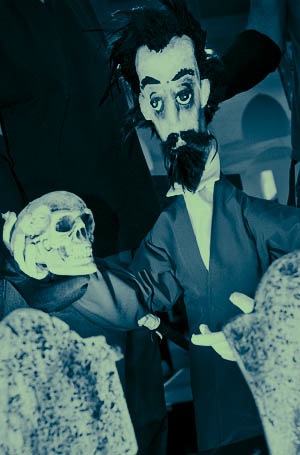
Amanda surprised me with a night out watching Frankenstein. The Trouble Puppet theatre make puppets from found objects, trash, anything they can get their hands on. The puppets are expressive, beautiful and dramatic, particularly given their origin. As a date I thought this was a particularly inspired idea - all day I thought we were going to the Dame Edna Experience but Amanda kept it secret. Overall I was happy to see the puppets! A small production in a strip mall in East Austin but such a magical evening. Haven't seen a puppet show for a long time - and those were always Punch and Judy seaside affairs. Things have moved on quite a bit since those days it seems, even though there was a traditional sock puppet up first to tell us to shut up and switch off our cell phones. A nice touch.

At first I was perhaps more interested in the mechanicals of how the puppets are animated. The puppeteers were on stage, dressed head to toe in black. There were a couple of people per puppet and it was usually obvious who was doing the voice acting too. Then, ever so subtly but very quickly, the puppeteers faded into the background and the puppets came to life. Just the same when I watch a great foreign language movie and realise that I'm not even noticing the sub-titles anymore, I was transported into the world of Frankenstein and the French revolution (they took some liberties with the original text)

So this is a photography blog and why am I twittering on about an albeit great date with my wife? The thing that struck me thinking back on this was I was initially caught up in the technical aspects of how the show was presented to me. But the strength of the story and imagery quickly distracted me from those technical issues. I didn't care that I could see that the sets were cardboard or not - I could easily enjoy what I was seeing without being worried about how it was presented. Great photography works the same way for me. I only care about the technical issues of sharpness, or lens resolution or tilted horizons and all those things people obsess about, when there's nothing interesting in the actual images. Technicals only really, really, critically matter when there isn't anything interesting in the image - at least for how I look at photographs. A little bit of blur, a little bit of softness - who cares; if the imagery is compelling.

Tuesday, September 23, 2008

5D MkII

sentinel
I try not to post a whole lot about the technical side of the camera world. I think there are plenty of sites that do it much better than I'm ever interested in doing and also there isn't enough out there about the less tangible aspects of this hobby/art/obsession.

Same goes for the photographic books out there, page upon page of technical information, very little on the thought processes and approaches being taken. Freeman Patterson is one of the best at talking about the 'inner game' of photography. Galen Rowell ventured into it on occasion too. It's a short list, compared to the technical authors, talking aperture, shutter, Photoshop buttons and widgets. John Paul Caponigro does well at breaking down the 'why' for editing, rather than the 'how' but again, most of the other authors focus on how to do things, not when or why you should or should not.

I think the main reason is it is easy to talk about the technical aspects. There are hard and fast answers to what an aperture is and how to open and close it. Doesn't require a lot of introspection to explain how to use the clone tool.

That said, I'm really excited about the Canon 5D mkII from what I've seen. I want to get a full frame camera. My 1dII is a 1.3x crop and I feel constrained on the wide end when shooting landscapes with a 17-40 F4L. When I first got this wide-angle lens, I was really frustrated with it. Even on a Canon D60 (a 1.6x crop sensor) I could never use all that visual space. I had a hard time composing anything that would be compelling. I loved using a 70-200 telephoto and a 100mm macro at the time, could crop and compose tightly and create interesting images. But the wide-angle end of the range really frustrated me. Everything would be too small, too disconnected.

That was, until I did a workshop with Craig Tanner, who taught me about his rhythm method of landscape composition. I learned to realise that I wouldn't just stumble upon a good wide angle composition - mainly because your eye just doesn't see that way. You can see telephoto compositions more readily, because you are just cropping out parts of what you can actually see, but not so with wide angle. You have to look through the lens to see what you'll see then. I learned the idea of constructing a scene, finding some key element in the landscape for the composition, then finding other parts to rhyme with it and build the composition, piece by piece. It might be the shape of a cloud and some bush, a crack in mud and the slope of a mountain, anything that can tie pieces of the scene subtly together, making your eye move around the composition. You can do this with a wide angle lens much more readily, because small changes for the camera cause dramatic shifts in the scene. Elements can be quite easily shifted in and out and across the frame, particularly in the foreground.

After a few days of practice, this approach started making my wide angle shots work. I began to find myself frustrated that I couldn't go wider, rather than struggling to make an effective 27mm frame cohesive. The 1.3x crop Canon 1D MkII helped a bit, but still I want more. 22mm is getting there but I want full frame. The other aspect I've found using a 1DII for landscapes is that it is a heavy, solid camera. The new 5DII is about a pound lighter so I'm hoping it'll be better for hiking. There have been trips I decided to forego the 1DII in favour of a small point and shoot, just to keep down the weight. A two day hike up to the rim in the Chisos mountains in Big Bend is one opportunity that stands out in my mind. We had to carry all our water up the mountain side and I didn't feel up to lugging a 1-series body and lens with me. On the rim we were treated to some of the most spectacular sunrises and sunsets I've ever seen. Maybe next time I'll have a more portable camera!

Also in the last couple of years I've moved more towards portrait photography and I think the 5DII is going to be fantastic for that. The frame rate is good enough but in particular the higher ISO modes are exciting, particularly for low light street portraiture. I've had a lot of fun shooting portraits at night in Austin, with a fast lens. I can get away with ISO 1600 on the 1DII for grainy black and whites and from the samples I've seen the 5DII looks to have great low light, with a usable ISO6400 and the option of heading to ISO256000 which is ridiculous. The smaller camera might be less intimidating to strangers when I approach too - not sure if that'll be good or bad.

Full frame, lower weight, great low light and a much bigger sensor than my current 1 series body. Almost everything I could want. I'm going to keep the big tank for sports shooting, 8.5fps is quite addictive after a while - I've even occasionally shot movies with that, in a jerky flick book way.

The final feature of the 5DII is the movie mode. 1080p resolution video up to 12 minutes long. I've dabbled with creating the semblance of movies with my cameras, trying to mix in audio, stills and video. So I'm excited to get to try this feature out. There is an amazing video shot with the 5DII on Canon's site, showing off some of the features of the camera. Mostly amazing because it was put together in a 3 days. The story maybe could with work but it looks lovely.

Monday, June 16, 2008

Behind the Gare Saint-Lazare

Behind the Gare Saint-Lazare

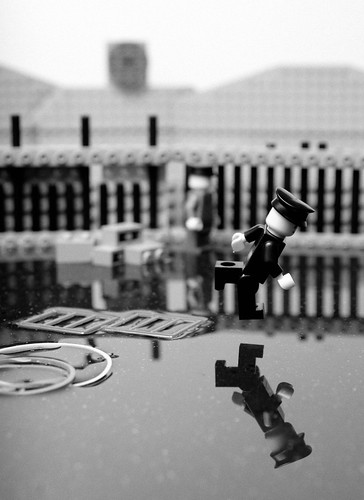
Some stunning recreations of classic images, this time in lego. Balakov has created many well known images with those Danish building blocks. You can see all of them in this photoset on Flickr.

Wednesday, May 07, 2008

SoFoBoMo where are you?

Based on the idea over on Sam's blog, please add yourself to the map if you've been in on the whole SoFoBoMo experience. You can also link to the map with this url : http://www.frappr.com/sofobomo

Wednesday, April 09, 2008

new and improved

Tweaked the SoFoBoMo pipe filtering a bit so that it should be more forgiving about letting relevant posts appear in the feed. If your posts are still not appearing, let me know and I'll see what I can do about it.

Saturday, April 05, 2008

sofobomo equpiment

sofobomo equpiment
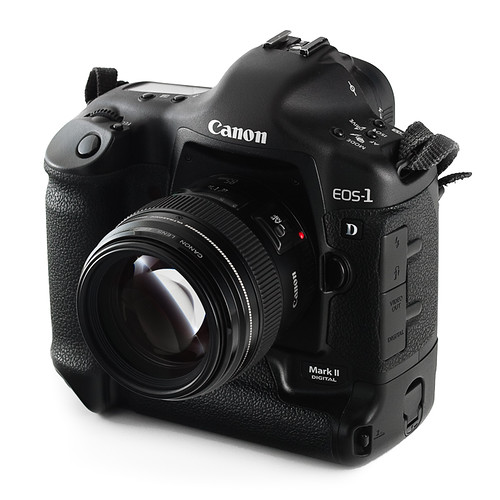
My SoFoBoMo plan involves using just my usual camera and usual lens. Canon 1d mk II, with a Canon 85mm f1.8. Here it is. I'll probably use it with a lens hood on, more often than not, but it doesn't look so good that way. Shot with a couple of Canon flashes (420EX and 580EX) triggered with an ST-E2 remote trigger.

Wednesday, April 02, 2008

lightroom beta 2.0

Adobe just released the 2.0 beta of Lightroom, for a 5 month beta period, ending in August. I downloaded a copy this morning and took it for a spin. The new excitement is the local retouching features, that enable localised exposure, clarity, saturation and tint adjustments to be made to an image. You can paint and adjust masks, blend and modify the amount of the effects and generally do a large amount of the work you might have done in the past in Photoshop with layers. This isn't letting you cut and paste parts of the image around, but will meet most of the dodge and burn or localised colour adjustment requirements. Looks like it might be useful. The next, potentially useful, feature is second monitor support. From playing around with it, it currently doesn't really fit the bill for me. I'd love to be able to work on a full screen version of the shot, with all the various tools and panels pulled over onto the second screen. This isn't yet possible - you can have a full screen preview of the working image, but you can't actually be working on it directly. So currently all it seems to be worth using for is a big finder. Hopefully this will change in later versions. I also note that vignettes has been extended to allow post crop vignetting - nice if you tend to make images in non 3:2 ratios and want to focus attention towards the center. Overall, the whole experience was a bit snappier and generally quicker. Import seemed faster and the preview creation was a secondary set of operations, running in the background without really getting in the way. Worth a look.

Tuesday, April 01, 2008

pipes

There are a lot of people blogging about SoFoBoMo. So many in fact, that I didn't think I'd be able to keep track using Google reader, my normal blog browser of choice. So I headed over to Yahoo Pipes to build something to merge them all together. JL had told me about pipes. I was surprised to find how easy it was to build up a script using a visual flow chart style of programming. Each block performs some sort of function and you drag and drop them into a chart. Add in data sources, like RSS feeds, then drag connectors between the blocks to describe the flow of information. Throw in some filters, in this case to block things that are not SoFoBoMo related and then hit publish and you are done. There seemed to be quite a bit of complex functionality that could be created using this tool, to do more complex web aggregation and mashup sort of activities. Once published, it is a one step process to integrate it into a web site (e.g., the box to the left of this post) or add as one merged RSS feed to a reader. Quite a cool technology. You can find the SoFoBoMo pipe here. When it runs, the 'List' view is probably most useful and the various buttons along the top provide options to integrate it into a variety of other viewers. If you want your SoFoMoBo related blog added to the feed, I just need the RSS link. Feel free to add it in the comments here and I'll merge it into the pipe. I seeded the list, based on this post by Colin Jago, so if you were on his list, you are already in. Update A couple of comments. I'm going to go through and delete comments from those asking to be added, once I've added the URL to the pipe. This is just so I can keep track. If your comment is gone, it just means I've got you in. Secondly, Rafa asked about the filtering mechanism. The pipe only includes posts that say SoFoBoMo somewhere, in the title, in the body of the post or in the categories or labels. It is fairly loose in what it will let through - all caps, mixed case, camel case, all lower case, pushed up against other words (SoFoBoMoGOGOGO etc) and SoPoBoMo's are also passable. Tagging the posts with SoFoBoMo should be enough to keep your posts in the feed. Please let me know if that doesn't appear to be working. It can take a few hours for new posts to appear, due to the delays in feedburner and Yahoo Pipes refreshing the lists. Finally, only posts that have a filled out title appear to end up getting a link created in the pipe. The post will still appear but will be truncated and it isn't simple to find a link back. So please, include a title on your posts.

Friday, March 28, 2008

flickr set parser for GPSVisualizer

Geekier than normal post today. If you aren't interested in python programming, flickr's API and GPS display of images in Google maps or Google Earth then I'd stop reading now. Here's another picture from Death Valley. See you again tomorrow.

Right. Still here ? I've been using GPSVisualizer to combine a GPS tracklog, with geotagged images on flickr. Images are entered into GPSVisualizer as a series of CSV values, in a fairly flexible format. The first line provides the layout:
latitude, longitude, name, url, thumbnail, desc
Each line after that is one entry for an image, with the location in decimal degrees, followed by various text fields containing the description, title and links to the actual image. For example:
36.366953, -117.391867, "shot up car", "http://flickr.com/photos/mcgregorphoto/2355449153/", "http://farm3.static.flickr.com/2323/2355449153_c733f5ee1e.jpg", "a long way from nowhere, burnt out and shot up, just off the access road"
36.442947, -117.435447, "half way point", http://flickr.com/photos/mcgregorphoto/2356283640/, http://farm3.static.flickr.com/2388/2356283640_be78036888.jpg, "lunch about half way into the hike"
Initially I generated this file by hand, extracting the EXIF location from the image files using exiftool. I then went through each image, entered a title, found the URL for the image on flickr, extracted the URL for a thumbnail image and added a longer description. This was painful to say the least. It was only 16 images but it was a pain. Particularly as all the information was already there, in a flickr set. So I looked up the information on the flickr API, found a python library to access it and wrote the script below in half an hour. Given the URL or set id for a flickr set, it iterates over all of the photos and produces a CSV formatted list that's suitable to load straight into GPSVisualizer. This can then be linked along with the original GPS track log to generate a map with images and also the path traveled. It can be used for both Google Earth and Google maps path generation and runs pretty quickly. I'm posting it here in case it proves useful to anyone. To run, you'll need an up to date python install and additionally will need to download and install the flickrAPI for python. The final step is to obtain an API key for flickr. This key has to be added to the script, in the marked location. Once installed the program is run with:
python flickr2gpsv.py -s set_id > results.csv
or, alternatively,
python flickr2gpsv.py -s http://www.flickr.com/set_url/ > results.csv
If you find this useful, please let me know. You can download the script here. (probably better than cutting and pasting from below, because the download will keep the correct indentation). The archived version also includes a patch from Brad Crittenden to add unicode support.
# Author : Gordon McGregor
# Contact: http://gordonmcgregor.blogspot.com
#
# License : public domain
#
# Purpose: parses a flickr set to extract information to generate a map overlay, via http://gpsvisualizer.com
#
# Usage: python flickr2gpsv.py -s 72157604221838137
# or
#        python flickr2gpsv.py -s http://flickr.com/photos/mcgregorphoto/sets/72157604221838137/
#
#   If the URL is given, the set_id is automatically extracted

# Typically, you'll want to  redirect the output to a file, as errors & comments will appear on stderr (not in the file)
#
# e.g., python flickr2gpsv.py -s 72157604221838137 > output_list.csv
#
#
# only generates entries for photos with geographic information attached
#
# Required libraries:
# the flickrapi python libraries, from http://flickrapi.sourceforge.net/
# installation info here http://flickrapi.sourceforge.net/installation.html
#

import flickrapi
import time

import sys
from optparse import OptionParser
from urlparse import urlparse

# enter your api_key here to connect to flickr
# obtain one from http://www.flickr.com/services/api/keys/apply/
#

api_key = 'your_key_goes_here'

def getURL(sizes, size):

for element in sizes.sizes[0].size:
if element['label'] == size:
    return element['source']

raise flickrapi.exceptions.FlickrError, "No " + size+ " URL found."

# the main routine
# pass in a flickr set id
# outputs the appropriate data for GPSVisualizer to stdout
def parseSet(set_id):

cnt = 0

flickr = flickrapi.FlickrAPI(api_key)

photoset = flickr.photosets_getPhotos(photoset_id=set_id)

# iterate over list of photos in list

print 'latitude, longitude, name, thumbnail, url, desc'
for photo in photoset.photoset[0].photo:

try:
# get the various bits of data

    sizes = flickr.photos_getSizes(photo_id = photo['id'])
    info  = flickr.photos_getInfo(photo_id =  photo['id'])

# extract the required fields
    try:
        lat = info.photo[0].location[0]['latitude']
        lon = info.photo[0].location[0]['longitude']
    except AttributeError:
        raise flickrapi.exceptions.FlickrError, "No Geographical data found."

    name = photo['title']
    thumbnail =  getURL(sizes, 'Small')
    url = info.photo[0].urls[0].url[0].text
    desc = info.photo[0].description[0].text.strip()  # strip to remove extra newlines

    if(len(desc)):
        print '%s, %s, "%s", "%s", "%s", "%s"' % (lat, lon, name, thumbnail, url, desc)
    else:
        print '%s, %s, "%s", "%s", "%s",' % (lat, lon, name, thumbnail, url)
    sys.stderr.write('.')
    cnt = cnt + 1

except flickrapi.exceptions.FlickrError, e:
    sys.stderr.write( '\n'+photo['title'] +' : ' + e.__str__() + ' Skipping.\n')

return cnt


def main(argv=None):
if argv is None:
argv = sys.argv

usage = "usage: %prog [options]\nPass in a flickr set to produce output suitable for GPSVisualizer's google maps overlay"
opt_parser = OptionParser(usage=usage)

opt_parser.add_option('-s', '--set', dest='set', help="flickr set to process (full url or set number)")

(options, args) = opt_parser.parse_args()

if(options.set == None):
opt_parser.print_help()
return 1

# treat the command line value as a url
url = urlparse(options.set)

# even if it is just a set id, the value ends up in field 3 after urlparse (url[2])
# this removes any trailing /, explodes around any remaining /'s and takes the last value [-1]
# works for a full URL or simple set id
set_id = url[2].strip('/').split('/')[-1]

if (not set_id.isdigit()):
sys.stderr.write("set_id" + set_id + "is not a number. This is not expected.")
return 1

sys.stderr.write("Processing set id "+set_id+"\n")
start_time = time.time()
num = parseSet(set_id)
end_time = time.time()

total_time = end_time - start_time

average = 0
if(num):
average = total_time/num

results = "\nProcessed %d valid photos in %0.1f seconds (%0.2f seconds/photo). Finished.\n" % (num, total_time, average)
sys.stderr.write(results)

if __name__ == "__main__":
sys.exit(main())

Sunday, March 23, 2008

birthday in the valley

One of the reasons I went to Death Valley at the beginning of the month was to spend my birthday out there. Amanda was away for work and I wanted do something, rather than sitting around the house! I spent the first few days doing a bit of short hiking and taking a lot of pictures. I wanted to try something a bit more adventurous on my actual birthday. I got up bright and early on the 4th, at 4:30am and headed out to the Badwater salt flats to shoot the pre-dawn and sunrise. A quiet, soft start to the day and almost nobody out there. I walked out further than I've been before, about a mile and a half, to where the salt really gets flat and white. Peaceful, beautiful and not a sound. Amanda recorded herself singing 'Happy Birthday' on my birthday present, a digital audio recorder, so I listened to that a few times out there!

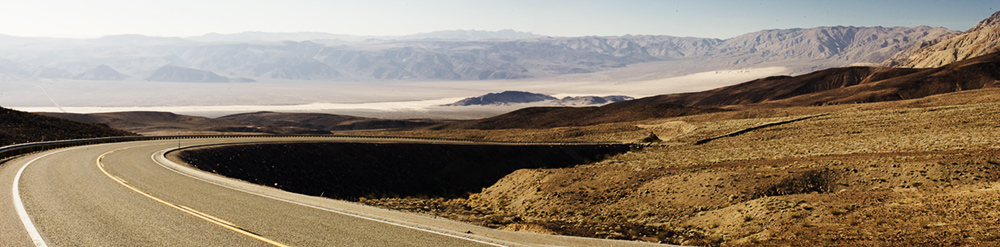
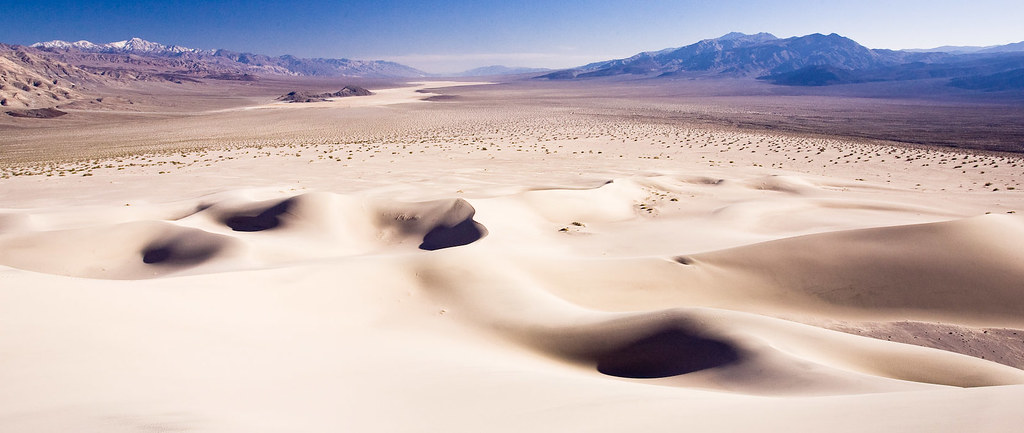
After breakfast and a bit of packing, I drove over to the Panamint Valley. Both times I'd been to the park before I'd looked longingly at the Panamint dunes. They are a bit tough to get to - about 6 miles of dirt roads then another 5 mile cross country hike, over a rocky alluvial fan then up through sand dunes. You can see the road in the distance on the far left of this shot and then the dunes on the hillside to the far right. This time I was going to get there.
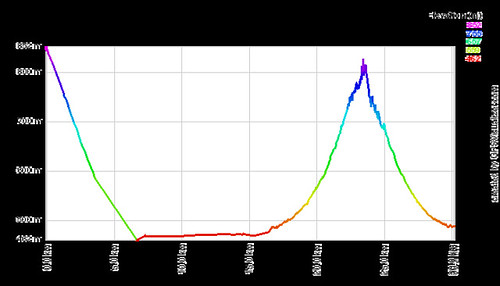
The hike was great - I took about a gallon and a half of water, my camera and some food and set off up to the dunes. It was a warm 85F and sunny at the start and got pretty hot as the afternoon wore on. Click here for a flickr slideshow of the hike. The soft dirt and sand made for quite tough going and I averaged a slow 2.5 mph on the way up. Just before the dunes, I found a big creosote bush and slept under it for an hour while the shadows lengthened and the light got better for photos. My Tilley hat made for a great shade, hung up in the branches of the bush. That was the first respite from the sun I'd found all afternoon and it was really welcome. So much cooler out there out of the sun with the really low humidity. Lovely. About 3 pm I left the pack behind and walked up into the dunes with my camera. It was a beautiful experience to have that whole expanse of dunes to myself, no foot prints, no people, no noise. Nobody for miles around. The dunes there are steeper than those near Stove Pipe Wells, the hillside and wind have combined to really pile them high and sharp. A couple of times I wasn't sure I'd be able to make it to the top of the highest dune, I almost rolled off down one slope. Eventually though I clambered to the top - the view was stunning - all the valley opened out below me. The narrow peak of the dune actually split into the 3 spines - a star shaped dune! Shooting right at the top was a bit disorientating, looking through the camera and trying not to step off into space. I sat for a while and drank it all in.
Heading back down was a whole lot easier, once I found my pack. Creosote bushes all look the same from a distance! A GPS waypoint made life easier, though I did worry about my batteries dying. It was all downhill to the car and not so much weight to carry either. I think I need to find some hikes where I start off at the top, hike down drinking the water then have a lighter load to carry up the hill! I got back to the car just as the sun dipped behind the mountains. All in all, a great way to spend my birthday. A really beautiful desert hike.
Lots more pictures in the map below - click on the labels on the right or zoom in and pan around.
I've been trying out various GPS tools and GPS Visualizer has been really useful. Massaging the data into a form to create the map above took a bit of work, some use of GPSBabel and a few custom python scripts that I wrote to convert co-ordinates into the right forms. The profile came straight from the GPS track log.

Thursday, March 20, 2008

sunspot

sunspot sunspot sunspot
One of the bands I enjoyed the most at my brief time at SxSW was Sunspot. From Madison, WI, they were obviously enjoying the warmer Texan weather this weekend. I listened to several of their songs at Agave and picked up a CD which has been playing for most of the week in my car. They are self-described as arena rock for geeks and their music reminds me a lot of They Might be Giants or Weezer. Catchy, funny lyrics and good tunes. You can listen to them at the link above. In particular the homage to Quantum leap, Scott Bakula, is a fine track, with the lyric 'Scott Bakula never smoked crackula, he played quarterbackula in 'Necessary Roughness'. Worth checking out.

Wednesday, March 19, 2008

dawkins

dawkins

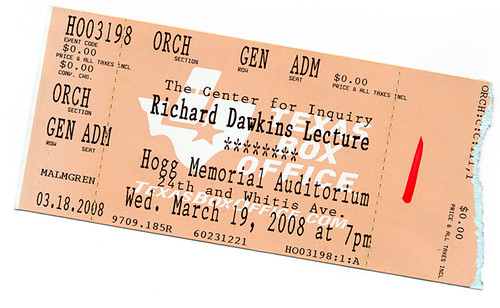
How I spent my Wednesday evening. I turned up at 6:30pm for the 7pm lecture. The lines stretched across the UT campus - I was quite stunned by how many people had shown up. I bumped into a couple of people I knew towards the front of the line who mentioned that the queues started forming to get in around 3pm. I didn't have a ticket - I expected a half empty auditorium and a few unenthusiastic people picketing the event. I meandered to the back of the line and didn't expect to get a ticket or a seat. Eventually the word filtered back that the place was full, nobody else would get in. We shrugged and headed towards the car. Along the way we noticed more people than expected had also given up, leaving quite a shorter line, so we jumped back in towards the back. Somehow, some way, SJ batted her eyelashes enough to get us VIP entry tickets (apparently a red slash means a whole lot in these cases - take a red pen everywhere). We got to jump ahead of all the other people still in line. We got ushered past most of the already seated students down to a few rows from the stage. Funny how that works. The presentation was interesting but nothing new if you'd read the God Delusion - in fact I think this is probably a book tour, for the paperback release, in disguise. Dawkins is an articulate, engaging speaker, not unlike many of the professors I was lucky enough to learn from growing up. I do tend to think he's a better evolutionary biologist than an atheist evangelist, but that didn't seem to be what most of the audience were there for. The dribbley combination lock analogy for how natural selection works was painful. There's dumbing down then there's insulting the audience. Surely he has a better analogy in his many books ? I was amused to note quite a few disappointed looking members of the audience as I left - almost as if they'd been expecting some sort of religious experience. The highlight was possibly being one of the 5 people in the packed auditorium who knew who Ant & Dec were and why they should never be apart. No fights broke out. The questions from the audience were fawning and a bit rambling. All in all and entertaining lecture that I didn't expect to be able to get in to at all. Still the best argument:

Tuesday, March 18, 2008

the great cheese race

Amanda will attest to my love of cheese. This event is one of the things I'd love to participate in or photograph. Some day.

Friday, March 14, 2008

happy π day

train car detail

Yes, sadly enough, I waited until exactly this time to post it too. Here it is to the first million places for starters.